Pick a good control

Control pages are pages like your test pages that you leave alone. If both groups rise together, it was the season or Google, not your change. A good control is the difference between "Likely real" and a guess.
1. Open the guidance
On a note, choose Add control, then open How to pick a good control. In short: 5 to 30 pages like the test pages, from the same folder or template, with similar traffic; nothing you plan to change; no mix of seasonal and evergreen pages.
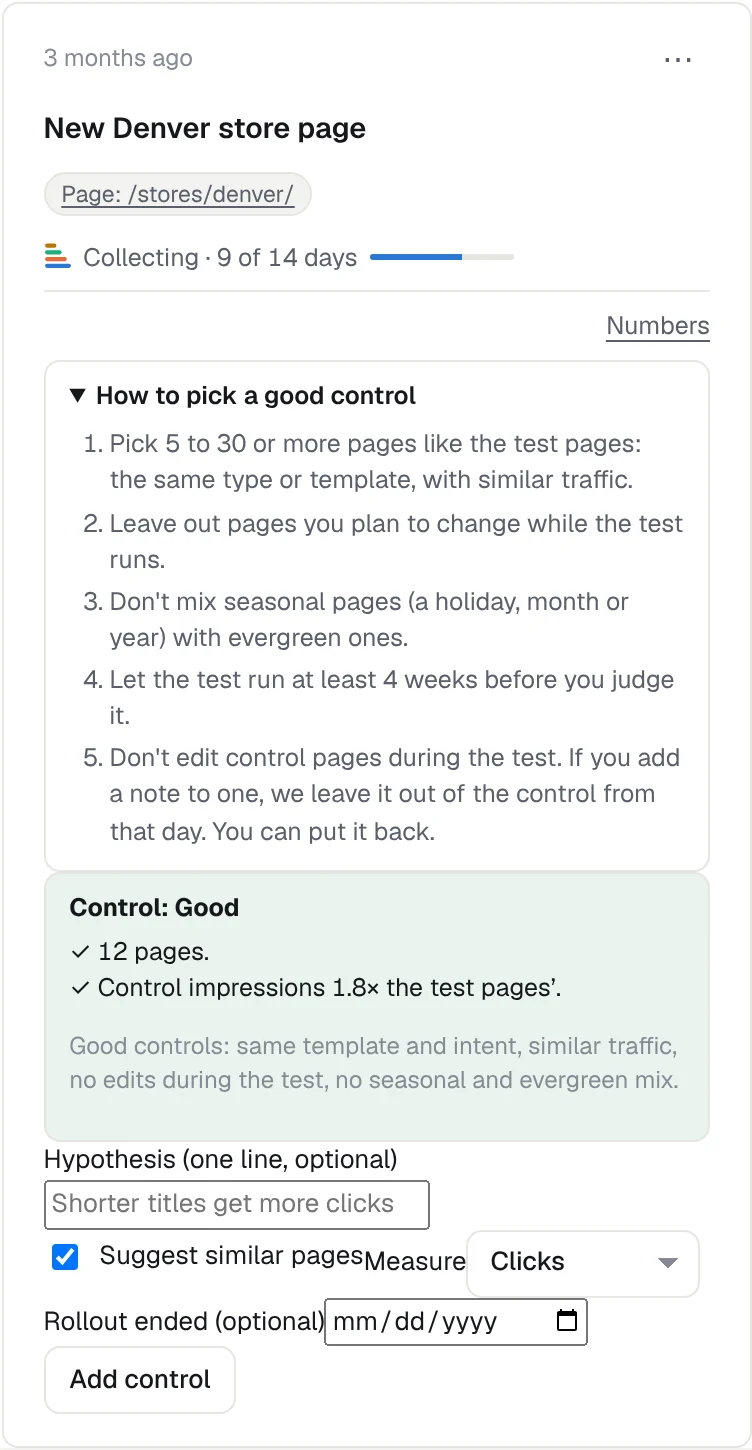
2. Pick pages, or let KeptSEO suggest them
Use a content group, a URL rule, a pasted list, or Suggest similar pages. Suggestions come from the same folder, with similar clicks, and skip pages in another running test or with an open task.
3. Check the rating
The form rates the control Good, Fair or Weak and says why, for example too few pages or too little traffic. Fix the main reason before you start.
4. Watch the control line
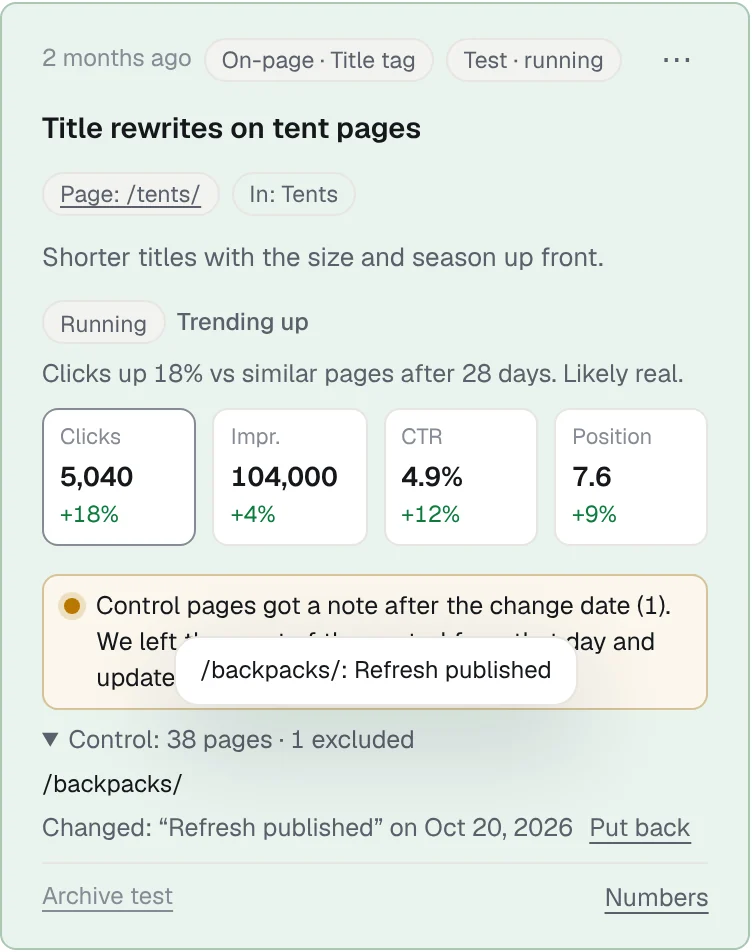
On the test card, Control: 38 pages · 2 excluded shows how many pages count. Open it to see excluded pages, the note that excluded each one, and Put back.
5. Replace weak pages
If the control becomes Weak, choose Choose control pages…. Tick the pages you want and select Add N to control.
6. Don't edit control pages
When you write a note about a control page, the form warns you first and names the test. If you save it anyway, that page leaves the control from that day so before and after still compare the same pages.
Start free, or see features and pricing.